
Today
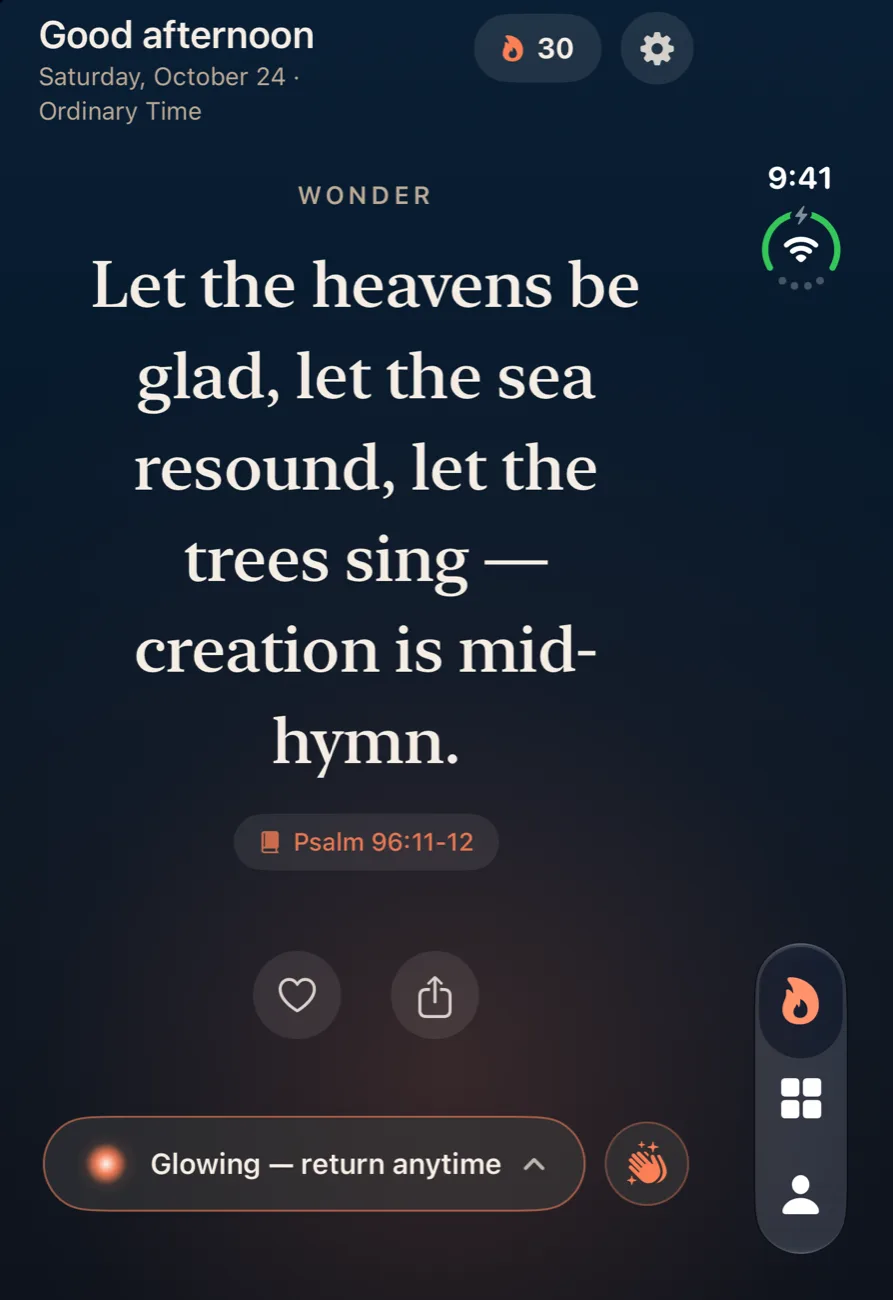
Left pageThe greeting, date, season and feast, your streak, today's prayer card, and the four Ways to Pray tiles.
Right pageThe verse feed, paged one line at a time, with the heart and share buttons under each verse.
Open your iPhone Duo and Ember opens like a book: your prayers on one page, the Word on the other, and the fold left clear between them.
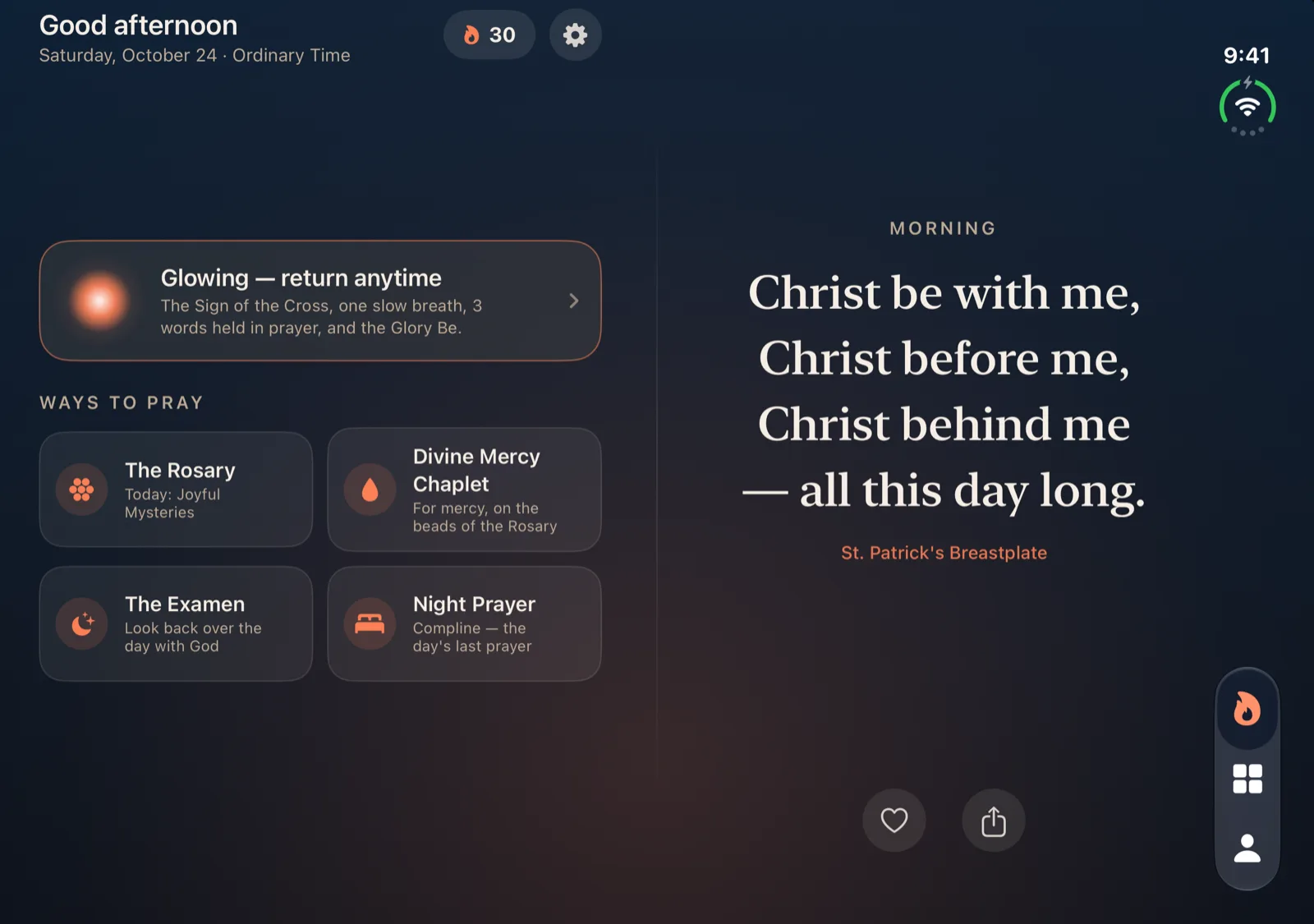
On a regular iPhone, Ember is one quiet column. Stretched across the Duo's wide inner display, that column would leave half the screen empty and run each verse edge to edge. So Ember 1.1 turns every full screen into a spread: what you're reading on one page, and where you are, or what you tap next, on the other.
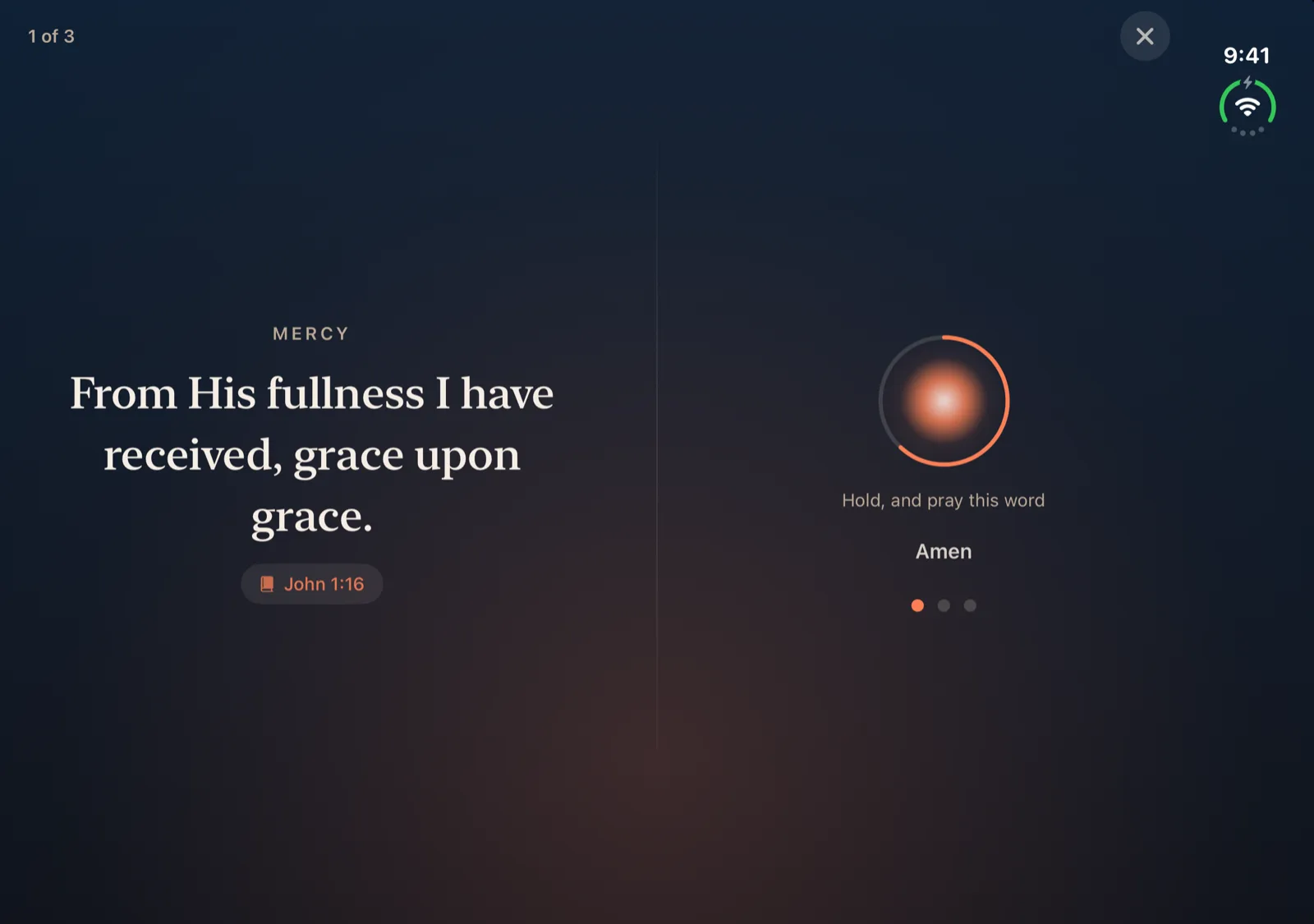
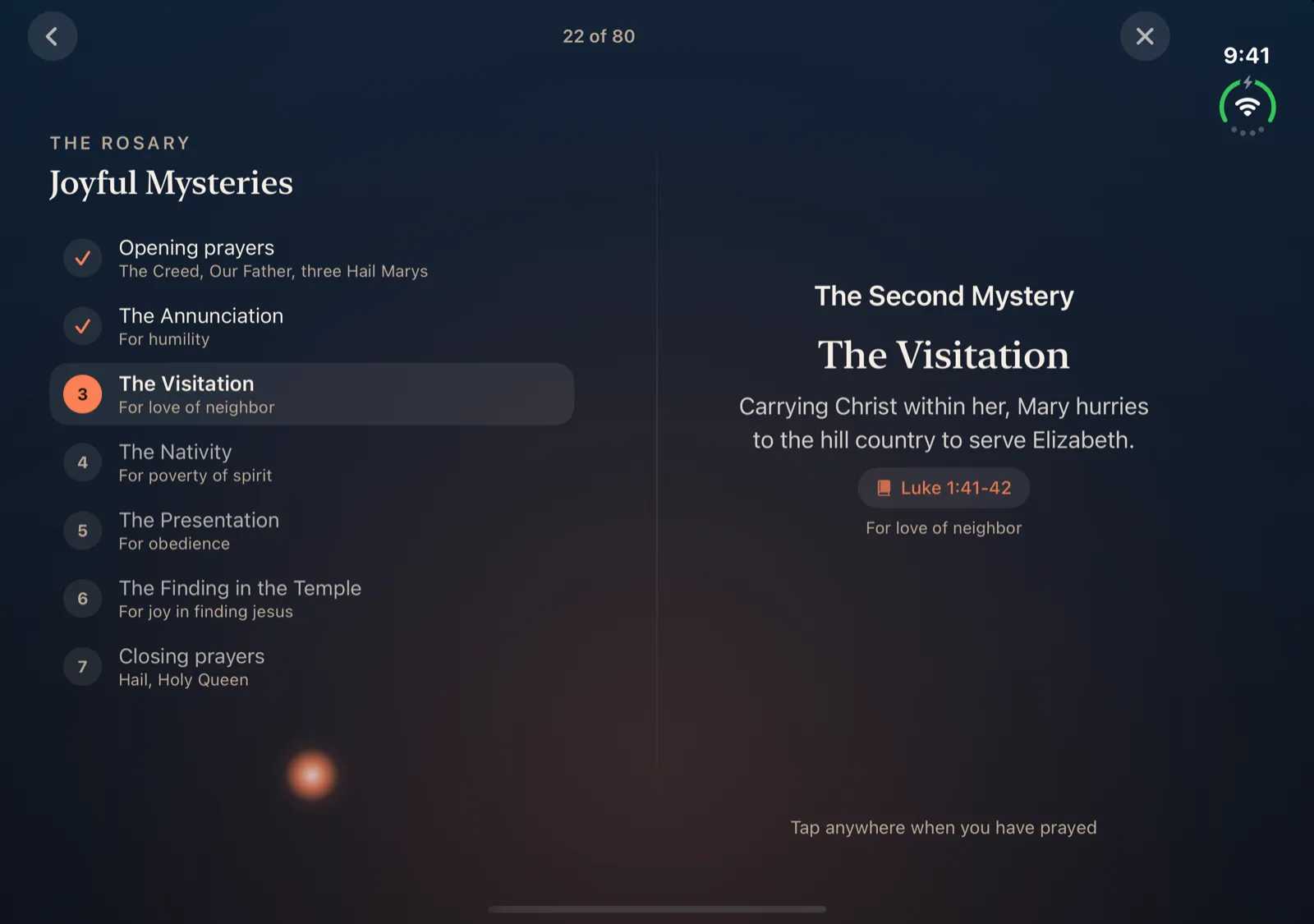
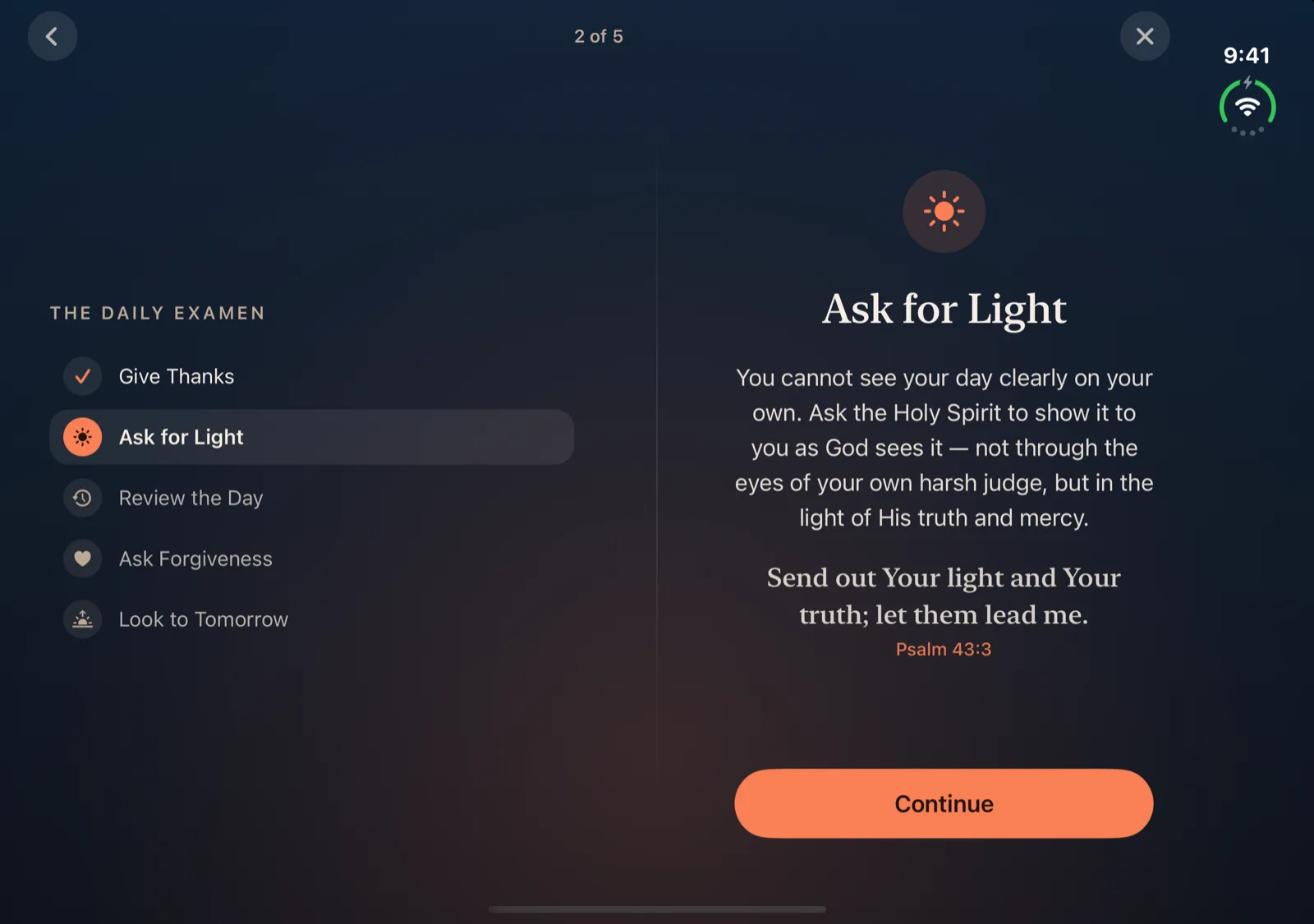
On the outer display Ember keeps its one-column layout. The tab bar runs down the side, and the verse is centered beside the status column, so it never slides under the clock.
Ember reads where the fold is and splits the screen there, so the line down the middle follows the Duo's hinge. Text goes on one page and the button you reach for goes on the other. Here's what lands where on the open inner display.
Left pageThe greeting, date, season and feast, your streak, today's prayer card, and the four Ways to Pray tiles.
Right pageThe verse feed, paged one line at a time, with the heart and share buttons under each verse.
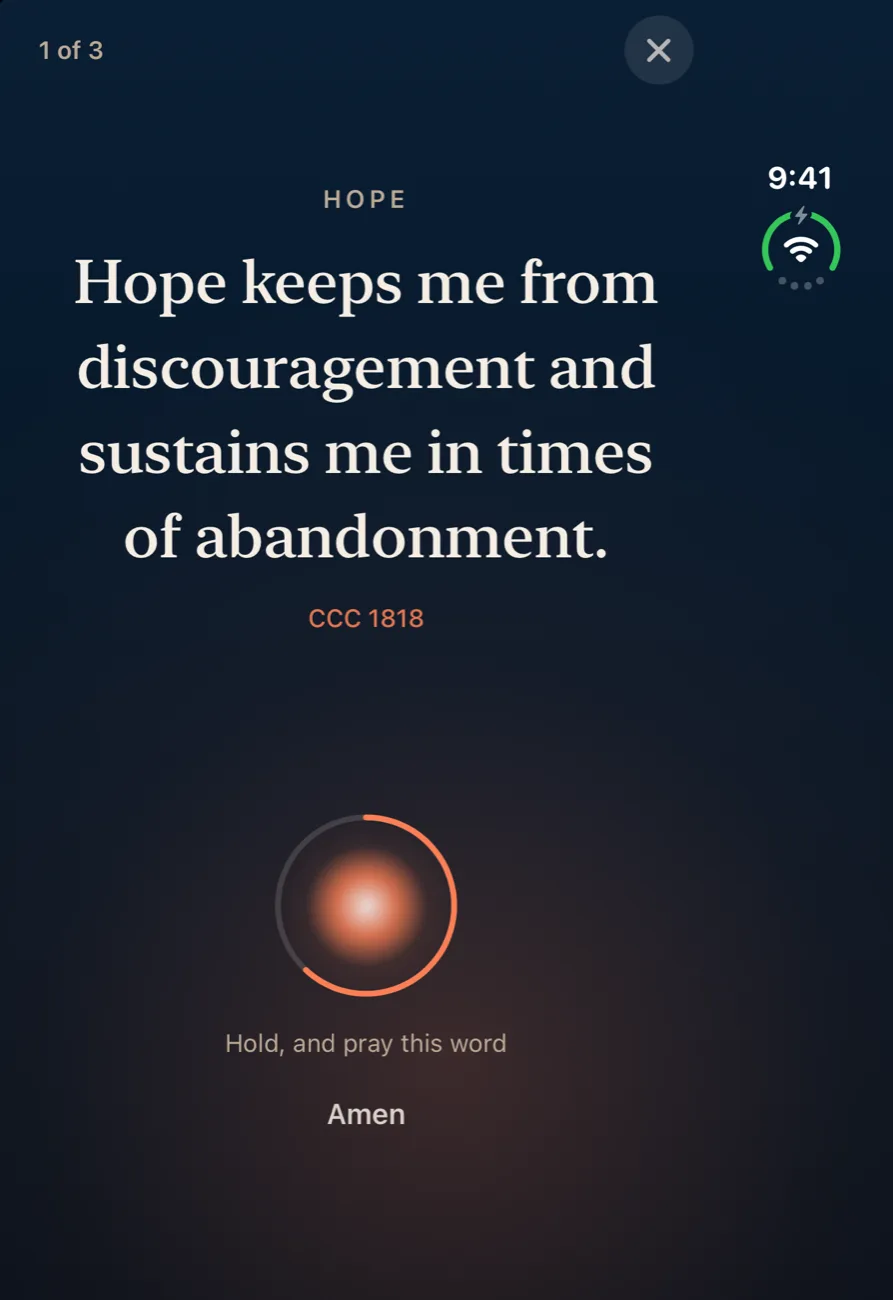
Left pageThe Sign of the Cross, then the word being prayed, then your ember and streak.
Right pageThe breathing ember, then the hold ring, the Amen, and one bead per word, then the Glory Be and Done.
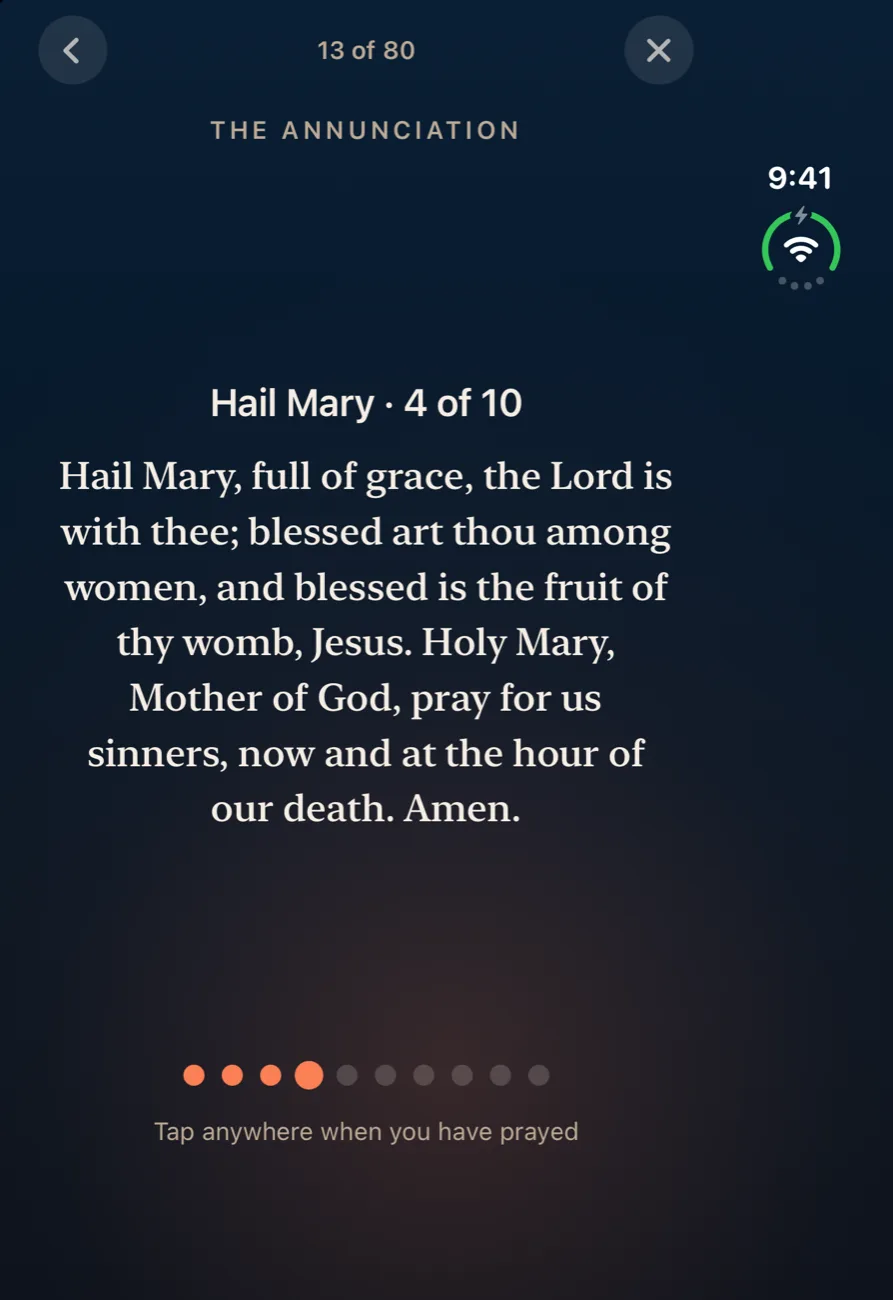
Left pageAn outline of the whole Rosary, prayed steps checked and the current one aglow, plus the beads of the decade.
Right pageThe prayer itself. Tap anywhere when you've prayed it.
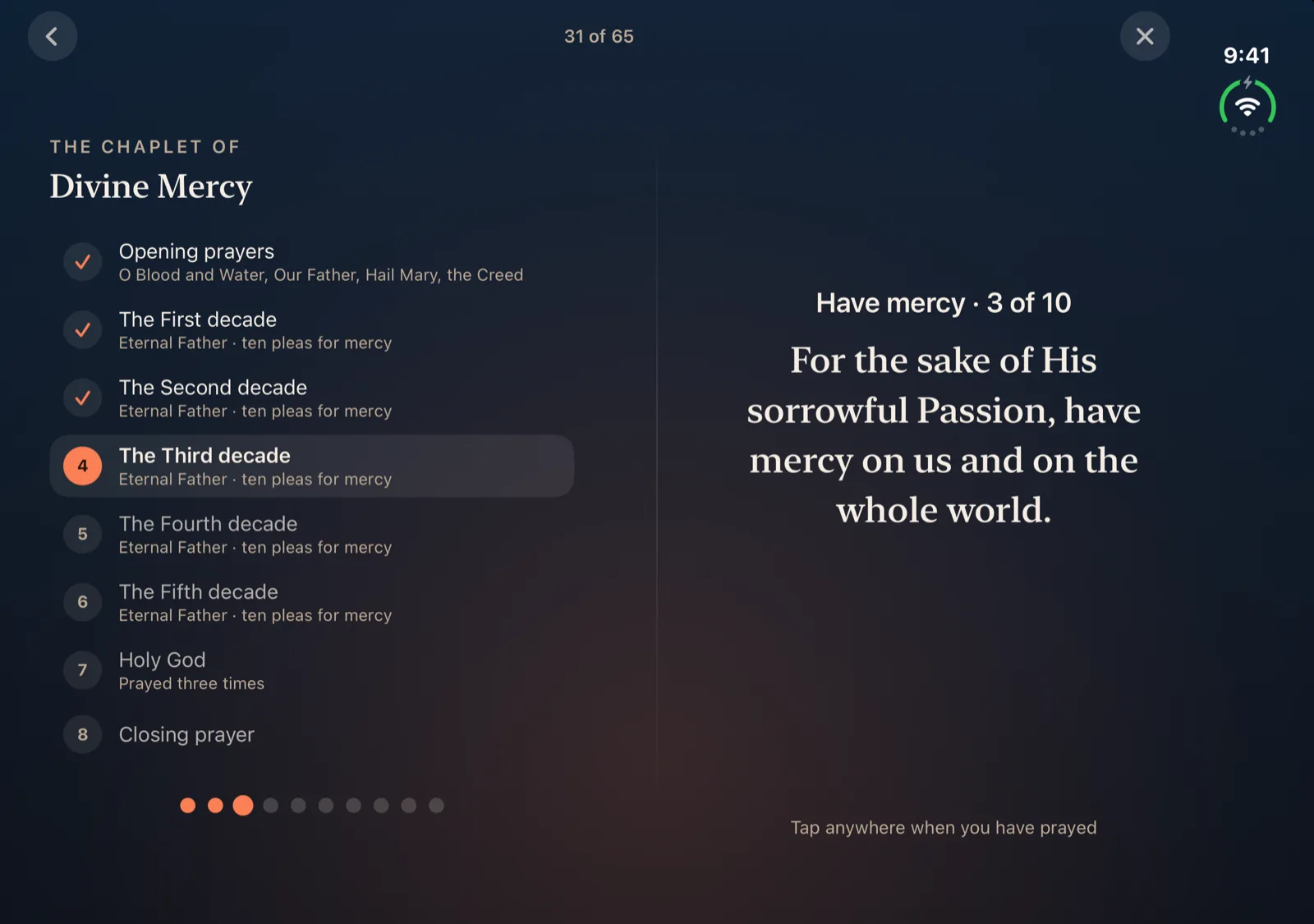
Left pageAn outline of the Chaplet (the opening prayers, the five decades, the Holy God, and the closing prayer) with the beads.
Right pageThe prayer you're on.
Left pageThe five movements of the Examen, or the nine parts of Night Prayer.
Right pageThe reading or the text, with Continue.
Left pageYour practice: streak, stats, and the month.
Right pageThe prayers you've written and your favorites.
Left pageThe ember and the heading for each step.
Right pageThe step itself (your name, your focus, a reminder time) and the button to go on.
Open the Duo with the fold running top to bottom and every full screen becomes the spread above. Turn it on its side and Ember goes back to one column.
Fold it partway like a book in your hands and the split stays on the hinge, so no words sit in the crease.
Stand it up with the fold running across and the pages stack: the word you're praying above, the hold ring below.
The outer display gets Ember's iPhone layout, with the tab bar down the side.
Everything else in Ember works the same on the Duo as on iPhone: the 60-second daily prayer, the Rosary with today's mysteries, the liturgical calendar, and nothing leaving your phone.
The daily prayer, the full Rosary, the Chaplet, the Examen, and Night Prayer. No subscription, no ads, no account. The iPhone Duo layout is available now in Ember 1.1.